


My Brother HL-1210W stopped printing on an M-series Mac running macOS 27.0.1. Brother's driver depends on an Intel-only filter, and without Rosetta to run it, every job failed. I knew nothing about printer drivers, CUPS filters or printer languages. I decided to get help from Claude Code and I had a native driver printing a correctly aligned page in about 40 minutes.
This article documents how that went and the lessons learnt along the way. The driver is on GitHub.
The Issue
Every print job stopped with "filter errors". The CUPS log (/var/log/cups/error_log) gave the real reason:
execv of /Library/Printers/Brother/Filter/rastertobrother1210.bundle/Contents/MacOS/rastertobrother1210 failed. err:86, Bad CPU type in executable
% file /Library/Printers/Brother/Filter/rastertobrother1210.bundle/Contents/MacOS/rastertobrother1210
/Library/Printers/Brother/Filter/rastertobrother1210.bundle/Contents/MacOS/rastertobrother1210: Mach-O 64-bit executable x86_64
The HL-1210W doesn't support AirPrint, PCL or PostScript, so a generic driver won't work. Something on the Mac has to convert each page into Brother's own raster format.
There is no official fix yet either. As of 2 Oct 2026, Brother's macOS 27 compatibility list shows the HL-1210W as "Checking". The same page recommends AirPrint, which this printer doesn't have.
1) Let the AI diagnose before it builds
My first prompt was a single sentence:
the printer stopped working because Rosetta is gone, can we write a simple driver?
Before writing any code, Claude read the CUPS log and checked the filter's CPU architecture. It also found the printer on the network with its raw print port (9100) open, and explained why AirPrint wasn't an option.
2) Build on existing reverse engineering
The open-source brlaser project has already worked out Brother's printer language and lists the HL-1210W as supported. Claude read its source and ported the essential part into a single C file of about 400 lines, instead of installing CMake to build brlaser itself.
PDF → cgpdftoraster (macOS) → 1-bit raster → rastertobrhl1210 → PJL + PCL raster → printer
macOS does the hard part, rendering the page. The new filter only wraps the raster in a print job and compresses each line. Because the filter is ported from brlaser, the repo uses the same GPL licence and credits the original authors.
3) Verify without wasting paper
Before printing anything, Claude built a test harness. It renders a test PDF through the real macOS rasterizer and runs the filter on it. It then decodes the output with brlaser's own decoder and compares the result to the original, pixel by pixel. A synthetic page covers the compression edge cases.
% make test
ok   build/test/a4-out-1.pbm: 4760x6817, source 4758x6817 at +0+0, 7508359 black px
...
A4 test page: 552196 bytes of printer data
ALL TESTS PASSED
4) The printer still has the final word
The first real page printed, but its right and bottom edges were slightly cut off. The tests had passed because they checked the code against our assumption: that the printer places the image at the corner of the paper. In fact the printer starts about 4 mm in from the edges, so the margin was applied twice.
Describing the symptom was enough. Claude found the wrong assumption, removed the extra margin and updated the tests. The second page came out aligned (See Image 1).
(Image 1)
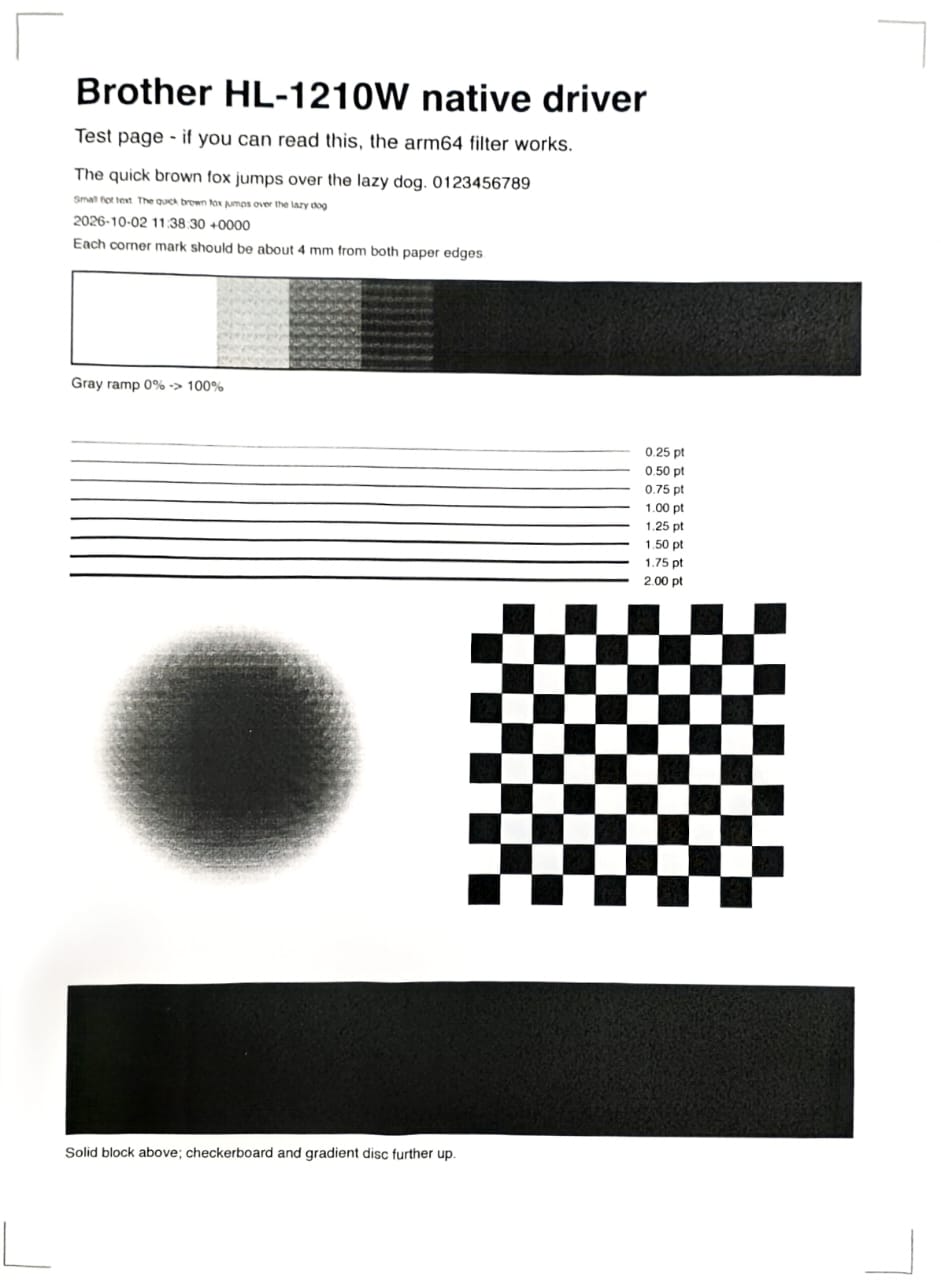
Tests check the code against your assumptions. Only the hardware checks the assumptions.
Install
For anyone with the same printer on an Apple silicon Mac:
% git clone https://github.com/calvinyj/brother-apple-silicon.git
% cd brother-apple-silicon
% make test
% sudo ./install.sh
Installed queue 'Brother_HL_1210W_native' -> dnssd://Brother%20HL-1210W%20series._pdl-datastream._tcp.local./?bidi
% lp -d Brother_HL_1210W_native build/test/testpage.pdf
request id is Brother_HL_1210W_native-142 (1 file(s))
NOTE: This is an unofficial driver, not affiliated with Brother. It prints at 600 dpi only, and grey areas look grainier than with Brother's driver.

