


Git hooks are triggered when important events occur, such as before a commit is executed or after a commit is completed. They are designed to introduce custom workflows by running a script when the hook is triggered.
In this article, we use the pre-commit hook to perform a linter check and a vulnerability check. The commit is only allowed if both checks are successful.
Setup
- Navigate into
.git/hooksdirectory. - Create a new script file and name it
pre-commit. - Make it executable with
chmod +x.
Implementation
In this script file, we want to run two commands: Brakeman and Rubocop, to check our application code.
#!/bin/bash

set -e

echo "Running pre-commit checks..."

echo "Running RuboCop..."
if ! bundle exec rubocop; then
  echo "RuboCop failed. Please fix the issues and try again."
  exit 1
fi

echo "Running Brakeman..."
if ! bundle exec brakeman -q; then
  echo "Brakeman found security issues. Please fix them and try again."
  exit 1
fi

echo "All checks passed!"
Testing
-
We modify some code to fail the Rubocop test.
-
Then we try to commit the updated code.
$ git commit -m "Test"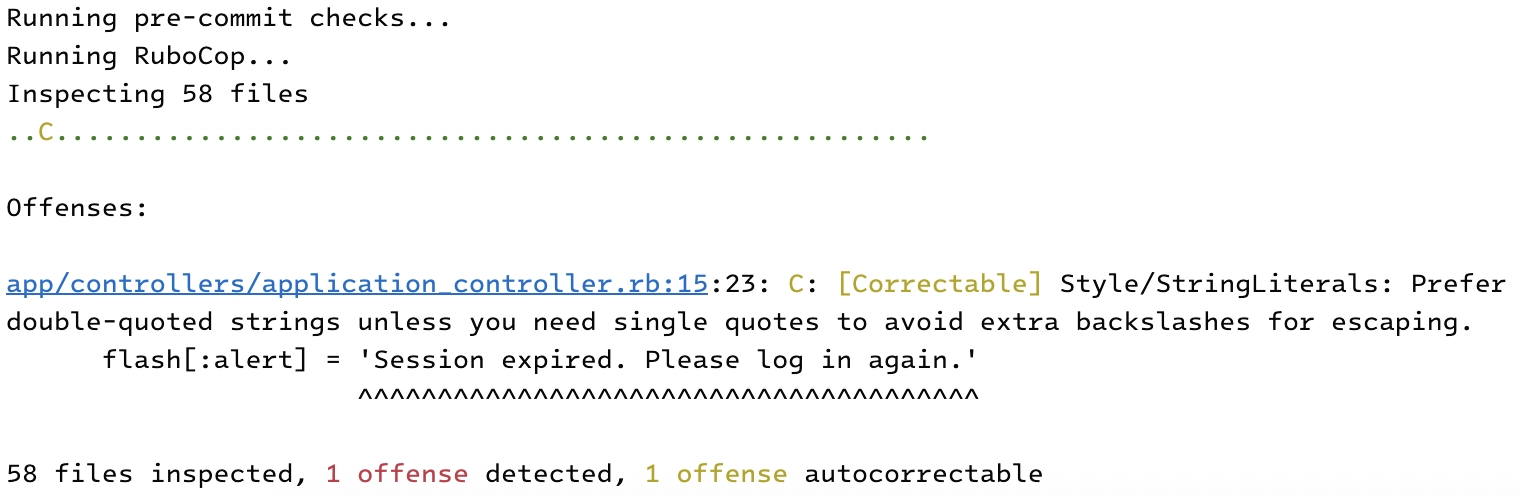
Escape
Use the no-verify command to skip the script result.
$git commit -m "Message" --no-verify

