


This article shows the step to setup composer to install private Github repository.
Case 1 - For Local Machine
Get token from Github
-
Go to settings -> Developer Settings -> Personal Access Tokens -> Fine-grained tokens
-
Clicks on the "Generate new token" button.
-
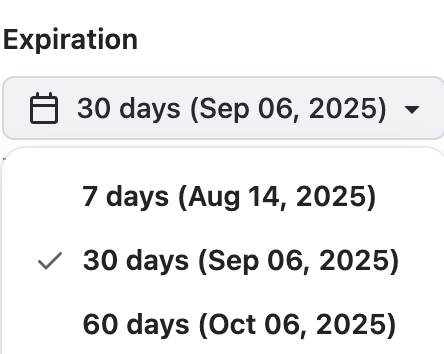
Select an expiry period
-
Select a specific repo.

-
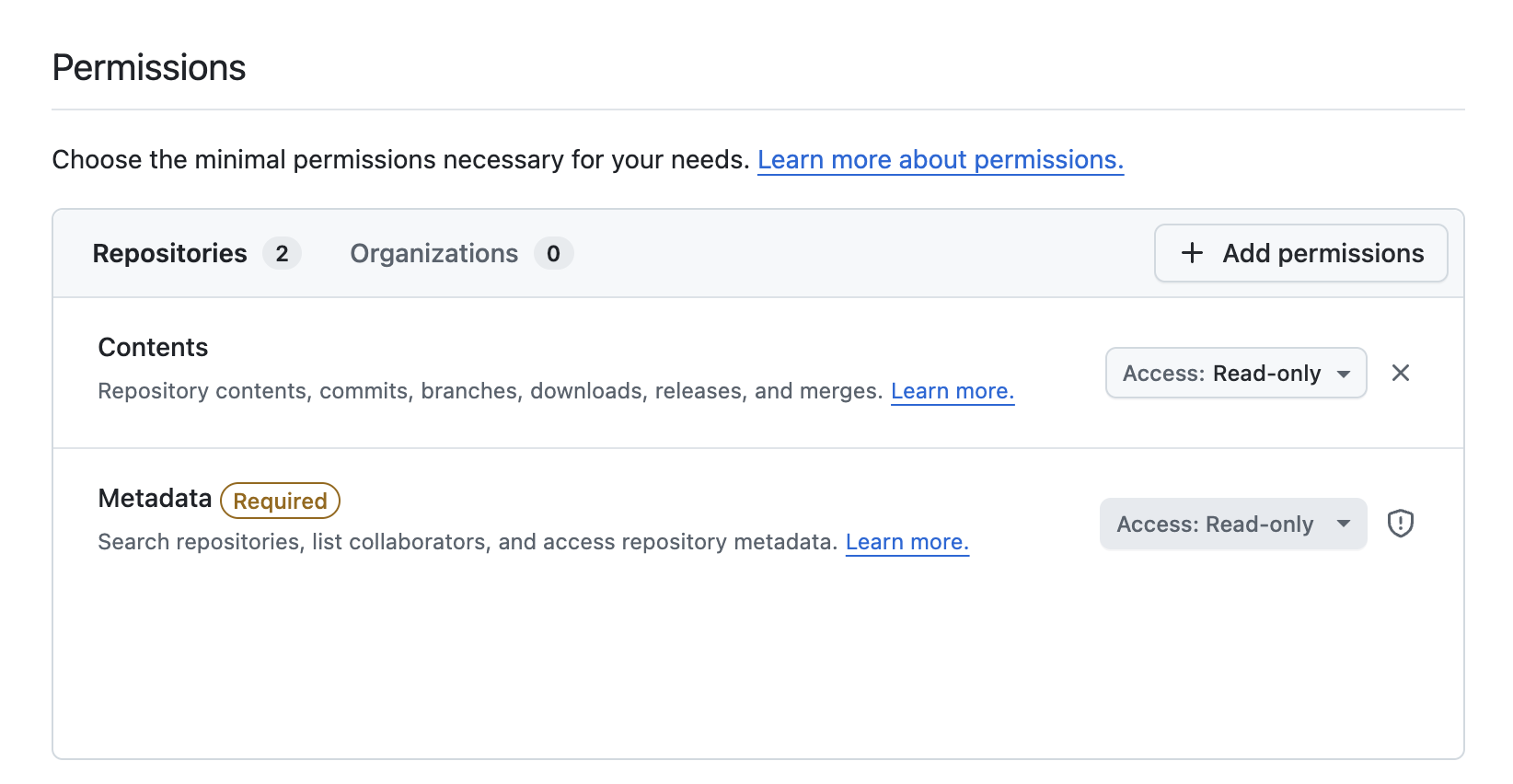
Provide "Contents" read-only access.
-
Generate and copy the token.
Use the token with composer
-
Setup composer auth config by using the following command.
php composer.phar config -g github-oauth.github.com <token> -
Or from the auth.json directly.
# Global
$ pico ~/.composer/auth.json
{
  "github-oauth": {
    "github.com": "github_pat_xxxxx"
  }
}

# Or, Per project (Recommended)
$ pico /path/to/app/auth.json
{
  "github-oauth": {
    "github.com": "github_pat_xxxxx"
  }
}
Case 2 - For Remote Deployment Server
-
Create a key-pair for the repository.
ssh-keygen -t ed25519 -C "For repo2" -
Setup SSH Config.
$ pico /etc/ssh/ssh_config.d/repo2.conf Host repo2 HostName github.com User git IdentityFile ~/.ssh/key2 -
Add key2.pub as deployment key on Github.
-
Setup git Config to rewrite the host
pico ~/.gitconfig

[url "git@repo2:org-name/ori-name.git"]
  insteadOf = git@github.com:org-name/ori-name.git

